Part one: for students
7. Sessions
Sessions lists every conversation you have had, newest first. From here you download a transcript or open a session’s summary again.
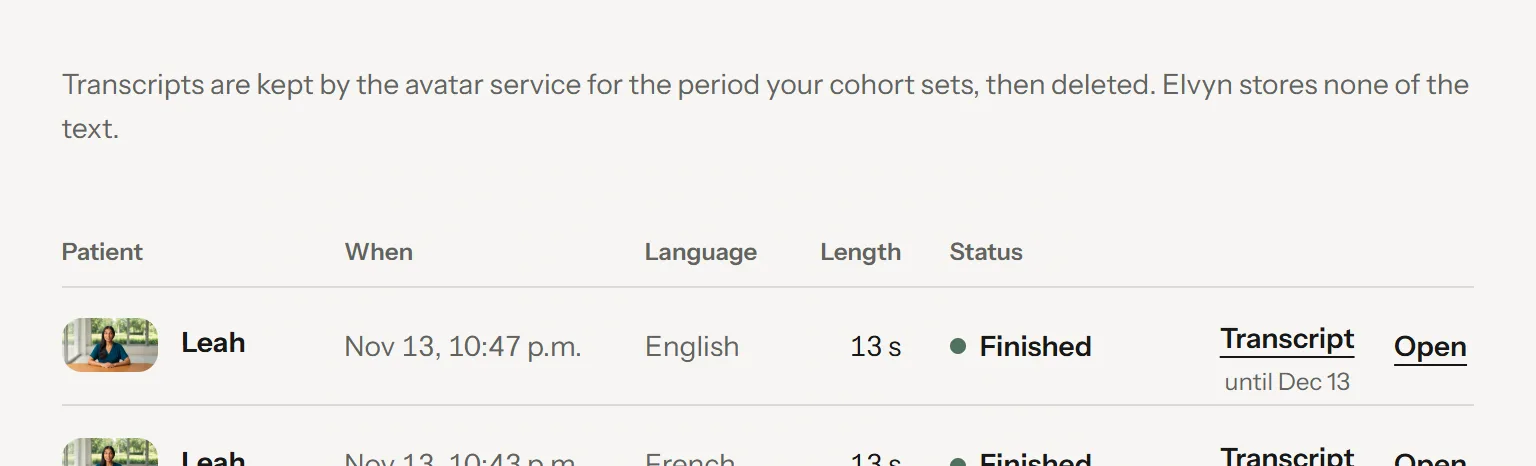
The Sessions page.
- Where transcripts live, and for how long
- The patient
- Length charged
- Status
- Download the transcript
- Open the session’s summary
7.1 The list
The line at the top of the page says where transcripts live: they are kept by the avatar service for the period your cohort sets, then deleted, and Elvyn stores none of the text (see 3.3.1 Where the transcript is stored).
Each row is one conversation:
| Column | What it shows |
|---|---|
| Patient | The patient’s portrait and name. |
| When | The date and time the conversation started. |
| Language | The language of the conversation. |
| Length | The time charged. A pending badge means the figure is not final yet and can only go down. |
| Status | How the conversation ended (see below). |
On the right of each row, Transcript downloads the text, with the last day it is kept under it (“until Dec 12”), and Open shows the session’s summary, with the survey if you have not answered it yet.
The list shows 20 conversations per page: Older sessions shows the next ones, Back to the newest returns to the start. On a phone each row becomes a two-line card: the patient and the date, then the length and the actions.
7.2 Statuses
| Status | Meaning |
|---|---|
| Finished | The conversation ended: you ended it, the time ran out, or the page was reloaded or closed. |
| Ended by staff | Course staff stopped the conversation from their Live page. You are charged the time the avatar service reports, up to the stop. |
| Did not start | The patient did not connect, or the avatar service failed. No time was charged. |
| In progress | The conversation is running now. |
| Closing | The conversation ended, and the avatar service has not confirmed it yet. See 9.7 “Still closing”. |
7.3 When a transcript is available
The transcript column shows the Transcript button when Elvyn can ask the avatar service for the text. Otherwise it shows one quiet word or phrase:
| You see | Meaning | What you can do |
|---|---|---|
| Transcript | The conversation was kept and its keeping period is not over. | Press it. If the text is not ready yet, the row says Transcript getting ready, asks again by itself, and saves the file when it arrives. |
| Transcript getting ready | The conversation is still running or closing. | Wait, then reload the page. |
| Download failed | The last request failed. | Press Try again. |
| Not kept | Keep this conversation was off, or the cohort does not keep conversations. | Nothing. Nobody can download it. |
| Deleted | The keeping period is over. Elvyn no longer offers the text and has asked the avatar service to delete it. | Nothing. Elvyn cannot recover it. |
| Unavailable | Elvyn has no record of the text at the avatar service, for example because the conversation did not start. | If you expected a transcript, tell your course staff. |
Good to know
Download the transcripts you want to keep before their keeping period ends. After that, Elvyn cannot get them back.