Part one: for students
8. Account
Account holds your settings. Each group has a title, one line that explains it, and its control on the right.
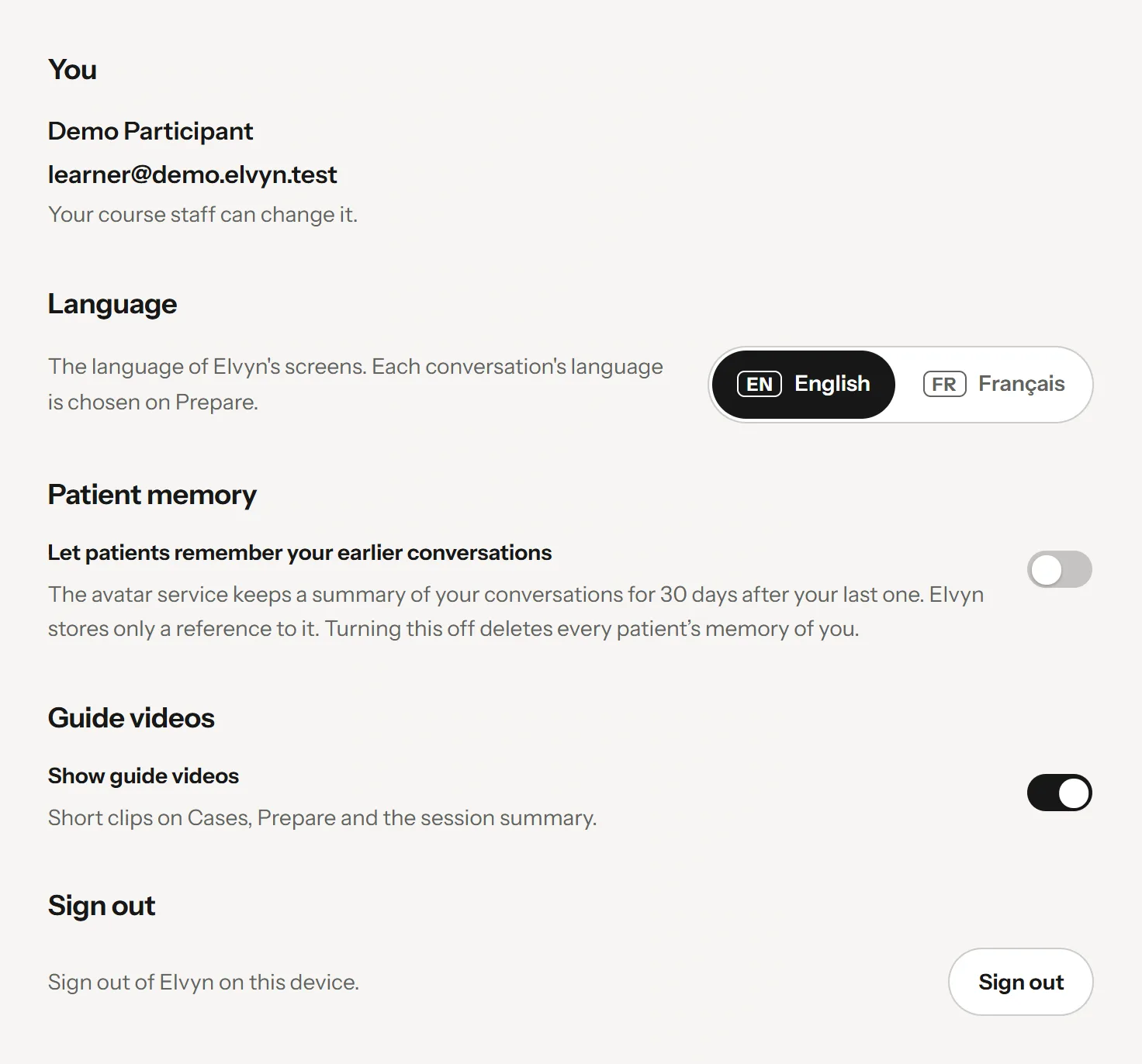
The Account page.
- Your email; your course staff can change it
- The language of the screens
- Patient memory, when the platform offers it
- Show or hide the guide videos
- Sign out
8.1 Your email
The group You shows your name and the email you sign in with, with the note “Your course staff can change it.” (staff read “A platform administrator can change it.”). You cannot change it yourself: see 8.7 Changing your email.
8.2 Language
Choose English or Français for Elvyn’s screens. The conversation language is chosen separately on each Prepare page (see 4.3 Language and microphone).
8.3 Patient memory
This group appears only when the platform offers patient memory. It holds the same switch as Prepare , Let patients remember your earlier conversations, with the same explanation. Turning it off asks for every patient’s memory of you to be deleted, after you confirm. See 3.4 Patient memory.
8.4 Guide videos
Elvyn shows short guide videos on Cases, Prepare and the session summary, such as Watch the walkthrough in the steps above the cases on your first visit. Turn Show guide videos off to hide them. The choice is saved in this browser only; another browser or device shows them again until you hide them there too.
Every guide video also stays available in Help.
8.5 Course staff
If you manage a cohort, the group Course staff has Open Course staff, which opens the Course staff area. The area switcher at the top of the sidebar, or the tile at the top left on a phone, leads there too (see 10. The Course staff area).
8.6 Signing out
Press Sign out . Do it on a shared or public computer when you finish. To sign in again you need a new code (see 2.1 Signing in).
8.7 Changing your email
You have one email in Elvyn, and it is how Elvyn recognises you. To change it, for example because your school address changed, ask your course staff. A platform administrator makes the change.
When your email changes:
- Your conversation time, your sessions and your transcripts stay. They belong to you, not to the address.
- From then on you sign in with the new address. The old one stops working once the sign-in service has been updated (see 16. People across the platform).
Good to know
Do not ask to be added again under a new address. That would create a second person with no minutes and no history, which your account cannot reach.